Faceplates
U.S. / European
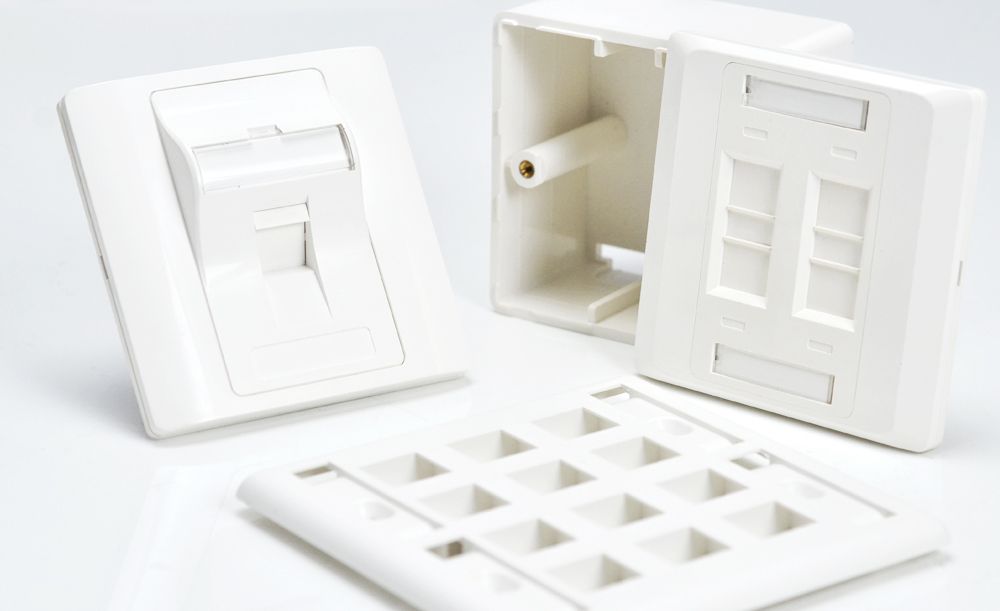
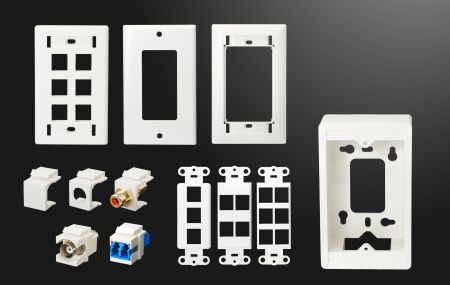
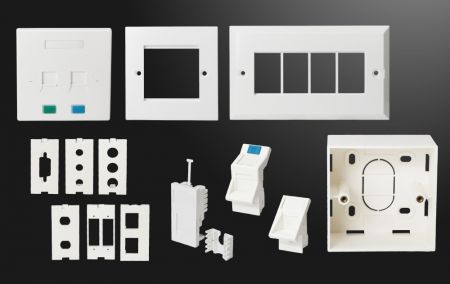
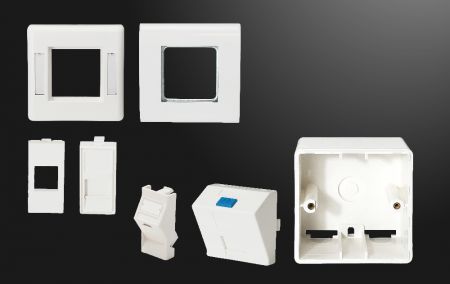
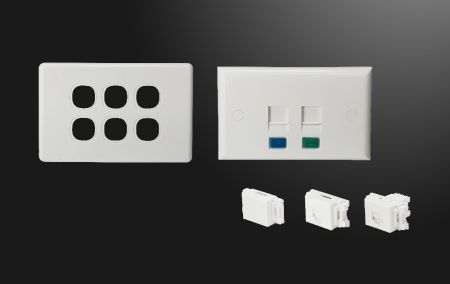
HCI offers a complete lineup of regional faceplates including U.S., U.K., Continental, and Asia-Pacific-specific types.
Regional differences affect both shape and mounting styles. In North America, faceplates used in structured cabling are typically vertically mounted with keystone cutouts. These allow flexible loading of data jacks, fiber optic adapters, and A/V modules according to the installation plan.
In Europe, square gang frames with interchangeable snap-in modules are more common. The U.K. Type features an 86 x 86 mm outer frame with a 50 x 50 mm internal cutout, while the Continental Type measures 80 x 80 mm with a 45 x 45 mm opening.
Asia-Pacific markets follow brand-specific formats. For example, the Clipsal aperture format is widely accepted in Australia due to its market dominance. In Taiwan, faceplates are typically designed to match Panasonic electrical outlets, as data jacks are expected to be mounted on the same wall fixtures.

Once you’ve selected the right region, the next step is to choose the features that match your specific needs. Here are a few tips to keep in mind while you’re evaluating your options:
Keystone Locking Height
Ideally, the faceplate’s keystone locking height should be slightly less than the latch height of your keystone jack. For example, if your jack has a latch height of 19.40 mm, look for a faceplate with a locking height between 19.0 mm and 19.4 mm. Faceplates with larger cutouts—like 19.80 mm or 20.05 mm—may not hold the jack securely.

However, some keystone jacks come with latch heights between 20.05 mm and 20.50 mm, depending on the brand's specific design. In these cases, you’ll need faceplates with a slightly larger cutout—typically between 19.80 mm and 20.20 mm for a proper fit. HCI offers several faceplate series with larger cutout options. Feel free to contact our sales team to check availability.

Port Spacing
If your keystone jacks are wider than average—say, 18.60 mm—you’ll want to avoid faceplates like decorator with frames, which usually only accept jacks under 17.40 mm wide for side-by-side mounting.
Also, watch the height clearance. Most standard faceplates are fine if the top of the jack sits flush with the locking triangle (typically 1.2 mm above the jack). But if your keystone has a “hunchback” design that rises 2.5–4 mm above, it might block the next port when stacked vertically. So it’s really a matter of mixing and matching to fit your setup.

Rear Clearance Behind the Wall
Always consider the available space behind the wall. On job sites with limited rear depth, faceplates with a 45-degree inward tilt can be a better choice than flat-mounted models. The angled design not only improves cable bending radius at the back but also helps reduce front protrusion. HCI offers angle-mounting options across all regional faceplate series to give you more flexibility during installation.

Special Features
Beyond regional compatibility and space limitations, each faceplate series comes with additional features worth considering. While faceplates may look similar at first glance, the right details can make a big difference on-site. Here are a few examples:
Front-Access Installation
Normally, pre-terminated jacks are mounted onto the faceplate first, then the whole assembly is pushed into a wall cutout or mounting box that’s already in place. The front-access faceplates let you fix the frame first, pull just the right cable length, terminate the jacks from the front, snap them onto sub-inserts (SIPs), and then lock the SIPs in place. This method is quicker, cleaner, and ideal for tight installs.
Station I.D. & Color Icons for port identification
Writable ID labels on the top and bottom of the faceplate make port identification easier across various stations. The mounting screws are concealed behind the ID paper and covers for a cleaner look. Optional blue (data) and green (voice) icons help clearly mark each port, often used at individual office cubicles.
Two-Piece Design for a Clean Finish
Though they cost a bit more, two-piece faceplates offer a cleaner, more refined look that blends in better with the surrounding environment.
Matte or Glossy Finishing
In North America, textured finishes are popular to match standard electrical plates. In Europe and Australia, glossy finishes—similar to those from Legrand, MK, Schneider, or Clipsal—are preferred in both commercial and residential spaces.
With Shutter
Spring-loaded shutters for unused ports are commonly used in regions outside the U.S. to maintain a cleaner look and offer light dust protection.
The default faceplate color is office white (RAL 9016 equivalent), with a warmer “electric white” option available upon request.
Correct faceplate fitment is crucial. A mismatch can cause frustration during installation and long-term use. When selecting HCI’s Copper Connectivity, don’t hesitate to contact our sales team—we’ll help you find the faceplate that fits your exact needs.